Quick Facts
- Category: Software Tools
- Published: 2026-05-04 09:23:58
- Building with AI Agents: A Practical Guide Inspired by Spotify and Anthropic
- How to Connect Your Disconnected AI Agents for Unified Insights
- Fedora's AI Desktop Plan Stalled After Council Reversals, Community Uproar
- Illuminating Open Source: Behind the Scenes of Documenting the Internet's Backbone
- Hugging Face Opens Digital Storefront for Reachy Mini Robot: Over 200 Community Apps Now Available
Overview
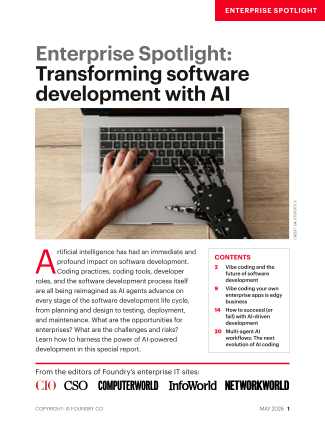
Artificial intelligence is reshaping software development at an unprecedented pace. From planning and design to testing, deployment, and maintenance, AI agents are reimagining every stage of the software development life cycle (SDLC). Coding practices, tools, and even developer roles are evolving. This guide provides a comprehensive, hands-on approach to integrating AI into your development workflow, enabling you to harness the full power of AI-enabled development.

Whether you are a seasoned developer or a team lead exploring new methodologies, this tutorial will help you understand the practical steps, common pitfalls, and best practices for transforming your software development process with AI.
Prerequisites
Before diving into AI-driven development, ensure you have the following:
- Basic programming knowledge – Familiarity with at least one language (e.g., Python, JavaScript, Java) and version control (Git).
- Access to AI tools – An API key or subscription for platforms like OpenAI, GitHub Copilot, or similar AI coding assistants.
- Development environment – A modern IDE (e.g., VS Code, IntelliJ) with relevant AI plugins installed.
- Cloud or local compute – Depending on the AI service, ensure you have internet access or local GPU resources for running models.
- Understanding of SDLC – A high-level grasp of planning, design, coding, testing, deployment, and maintenance phases.
Step-by-Step Instructions
Step 1: AI-Assisted Planning
AI can accelerate project planning by analyzing requirements, generating user stories, and estimating effort. Use natural language prompts to describe your project goals, then ask an AI agent to break them down into tasks.
Example prompt: "Generate a list of user stories for a task management app with features for creating, assigning, and tracking tasks."
Code snippet (Python + OpenAI API):
import openai

response = openai.ChatCompletion.create(
    model="gpt-4",
    messages=[
        {"role": "user", "content": "Generate 5 user stories for a task management app."}
    ]
)
print(response.choices[0].message.content)
Review the output, adjust priorities, and feed the refined list back to the AI for sub-tasks or acceptance criteria. This iterative process enhances clarity and reduces manual effort.
Step 2: Design with AI
AI can assist in creating architecture diagrams, data models, and even UI mockups. Describe your system requirements, and ask for a high-level design.
Prompt example: "Design a microservices architecture for an e-commerce platform with services for user management, inventory, and orders. Include communication protocols and data stores."
Use AI to generate Mermaid or PlantUML code for diagrams. For UI, tools like ChatGPT can propose wireframe layouts. Validate designs with team members before proceeding.
Step 3: AI-Powered Coding
AI code assistants (e.g., GitHub Copilot, Tabnine, CodeWhisperer) can write boilerplate, suggest completions, and even generate entire functions. Follow these sub-steps:
- Set up the AI plugin in your IDE and authenticate.
- Write clear comments that describe the desired functionality in natural language.
- Accept or refine suggestions – Always review AI-generated code for correctness, security, and adherence to coding standards.
- Use AI for refactoring – Ask the assistant to simplify complex logic or improve performance.
Example: Instead of writing a sorting algorithm from scratch, type "// Quicksort function for integers" and let the AI complete it. Then verify the output.
Step 4: Automated Testing with AI
AI can generate unit tests, integration tests, and even suggest edge cases you might have missed. Use AI tools that integrate with your test framework.
Prompt: "Generate pytest unit tests for a function that validates email addresses. Include tests for valid, invalid, and edge cases."
Sample AI output:
def test_valid_email():
    assert validate_email("user@example.com") == True

def test_invalid_email():
    assert validate_email("userexample.com") == False

def test_empty_string():
    assert validate_email("") == False
Run the tests alongside existing suites. Use AI to also analyze code coverage and suggest additional test scenarios.
Step 5: AI in Deployment
AI can optimize deployment pipelines by predicting failure points, automating rollbacks, and generating configuration files. For CI/CD, integrate AI models that monitor logs and suggest fixes.
Example: Use an AI tool to generate a Dockerfile or Kubernetes YAML based on your application’s requirements. Describe the tech stack and let the AI produce an infrastructure-as-code template.
# Prompt: "Create a Dockerfile for a Node.js app that runs on port 3000 and uses Alpine base."
FROM node:18-alpine
WORKDIR /app
COPY package*.json ./
RUN npm install
COPY . .
EXPOSE 3000
CMD ["node", "index.js"]
Always review AI-generated deployment scripts for security (e.g., exposed secrets, unnecessary privileges).
Step 6: Maintenance Using AI
AI assists in bug triage, code reviews, and technical debt reduction. Use AI-powered code review tools (e.g., Amazon CodeGuru, SonarCloud with AI) to analyze code quality and security.
- Automated bug classification – Feed error logs to an AI model that categorizes and prioritizes issues.
- Refactoring recommendations – Ask AI to suggest improvements for legacy code.
- Knowledge base generation – Use AI to document code changes and maintain up-to-date documentation.
Common Mistakes
Even with powerful AI, developers can fall into traps. Avoid these common errors:
- Blindly trusting AI output – AI can produce incorrect, insecure, or inefficient code. Always review and test AI-generated code thoroughly.
- Ignoring context – Provide sufficient context in prompts (e.g., language, framework, requirements). Vague prompts lead to irrelevant or generic outputs.
- Over-reliance on AI for creativity – AI is a tool, not a replacement for human problem-solving. Use it for repetitive tasks but retain creative control.
- Neglecting team collaboration – AI should augment, not isolate. Share AI-generated artifacts with the team for collective validation.
- Skipping security reviews – AI may introduce vulnerabilities (e.g., SQL injection, hardcoded secrets). Establish security checks in your workflow.
- Not updating AI models – Use the latest versions of AI assistants to benefit from improvements and bug fixes.
Summary
Artificial intelligence is revolutionizing software development by accelerating planning, enhancing design, automating coding, streamlining testing, optimizing deployment, and improving maintenance. By following the steps outlined in this guide—planning with AI, leveraging AI for design and coding, automating testing, deploying with AI assistance, and maintaining code with AI-powered tools—you can significantly boost productivity and quality. However, always remember to validate AI outputs, provide clear context, and maintain human oversight. Embrace AI as a collaborative partner, and you will transform your development process for the better.